
Last week we announced that Google AdWords two-way sync is available for all DoubleClick Search V3 (DS3) advertisers. Sync copies all campaigns, ad groups, keywords, ads, negative keywords and any supported settings from the engine account to DS3. Today I’m going to share a few tips for how you can use two-way sync to save time creation campaigns.
Target locations in AdWords
In DS3, it’s possible to target geo-locations using either the UI or bulksheets. This makes it easy to add the same set of targets to many campaigns, and to campaigns across many engine accounts. However, to set target locations you need to refer to the list of geo targeting codes (link also available from the Uploads tab), which can be a bit overwhelming when looking for city targets.To make this easier, you can use the advanced location targeting features of AdWords, such as searching and browsing for locations and visualizing locations on the map, and then sync the new targets in DS3.
DS3 location targeting


Discover new keywords and opportunities
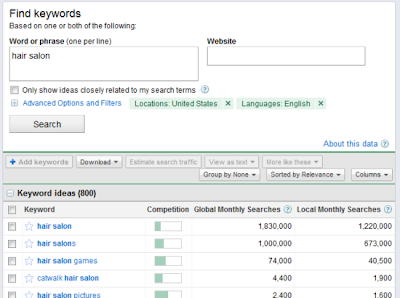
AdWords offers many tools to help improve your online advertising campaigns, such as the Opportunity Center and Keyword Tool. Microsoft adCenter also provides a set of tools for finding opportunities, such as the Keyword Research Tool [adCenter sync is coming soon]. With sync, you can use the tools in the engine and then sync in changes once you’re done.
AdWords Keyword Tool
adCenter Keyword Research Tool
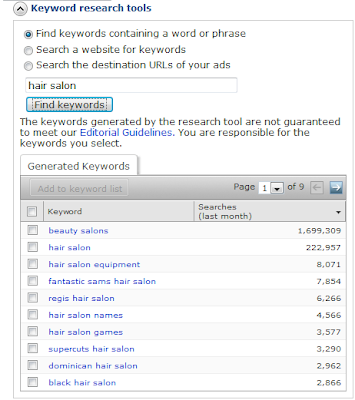
AdWords Keyword Tool
adCenter Keyword Research Tool
Restructure account with AdWords Editor
Moving ad groups and copying keywords between ad groups are common tasks. We’ve heard from many customers that nothing does account restructuring quite like AdWords Editor. While the DoubleClick Search team investigates deeper support for restructuring, you can combine the power and speed of AdWords Editor with DS3 by using sync. Simply do the restructuring with AdWords Editor, and then sync your changes. It’s worth noting that, just like in AdWords, account restructuring will reset statistics for items that are moved.
Create campaigns with settings not yet supported by DS3
Innovation in online ads is fast paced, AdWords and adCenter are constantly improving the ability to tailor campaigns to your unique needs. While DS3 continues to add support for the most popular engine features (e.g., the recent addition of adCenter match type bidding and budget type support), there are still features on the engines that aren’t yet in DS3.Sync allows you to create the campaign on the engine using all the settings relevant to your business, sync the campaign to DS3, and then use DS3 for de-duplicated conversion tracking, advanced bid management, and other campaign management tasks like adjusting budgets or bids. DS3 will preserve any AdWords settings it doesn’t understand. For example, changing your campaign budget won’t affect a campaign’s iPad targeting.
These are just a few of the ways you can use sync to save time. We encourage you to try out sync and discover new ways it can help you work more effectively.
Posted by Vanessa, Product Manager


